
KYS Smart Prep Hall System
Transforming prep time into a structured, focused, and technology-supported academic environment.
Good afternoon teachers,
As you may know, Tan Sri Halim Saad has proposed the implementation of the KYS Smart Prep Hall System to strengthen the effectiveness of our nightly prep sessions. The main aim is to transform prep time into a more structured, focused, and technology-supported academic environment, supported by Smart TV dashboards, digital assignment monitoring, teacher supervision, and AI-supported tools.
To help us visualize this concept quickly, I have used AI platforms to develop an early prototype of the KYS Smart Prep Dashboard. Please note that this is strictly a conceptual mockup for our initial pilot. The official, full-scale system development and coding will, of course, be expertly driven by our ICT Department as mandated.
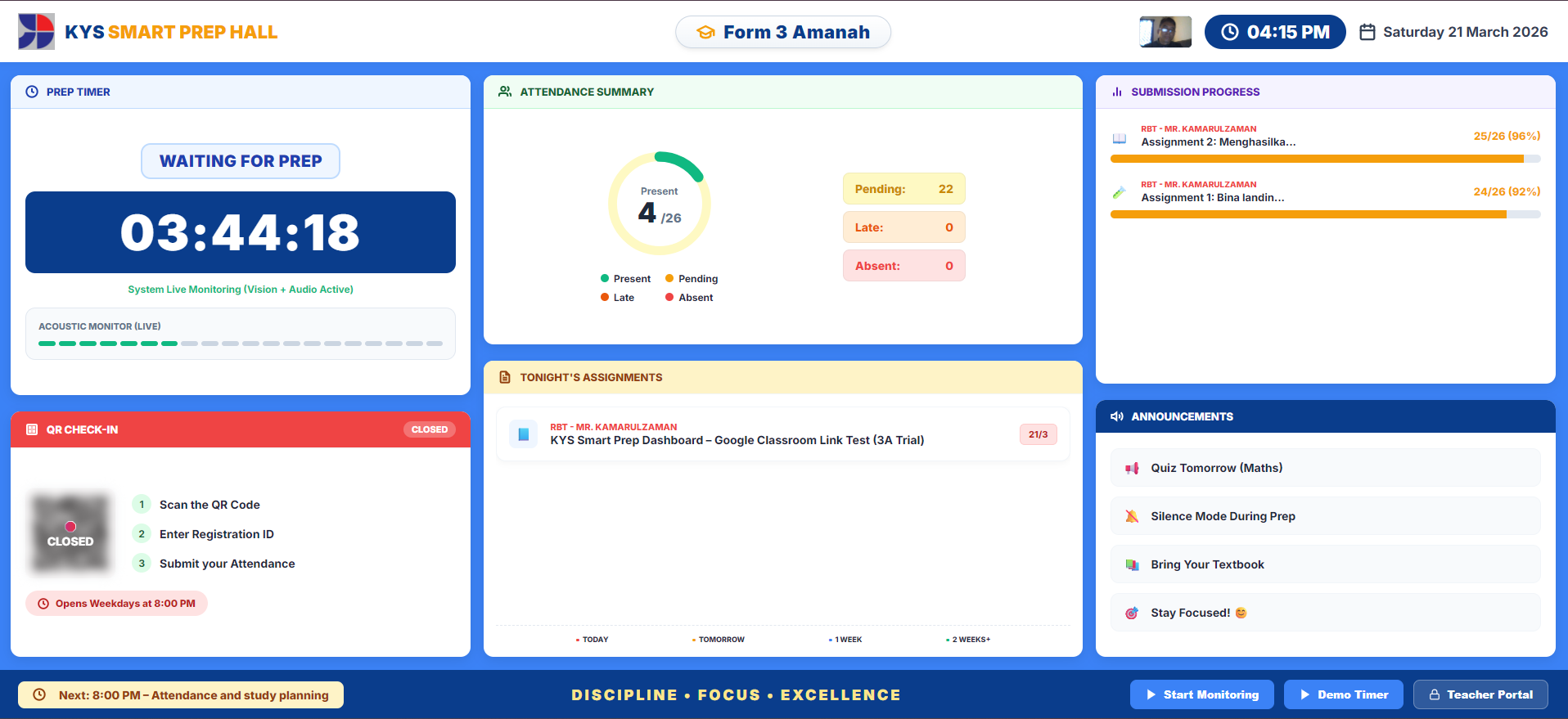
The dashboard provides real-time visibility for students:
This improves discipline, focus, and task completion during prep time.
📌 Proposed Prep Structure
To support a highly structured session, the following flow is proposed:
🤖 AI Monitoring Support
The dashboard uses AI to detect excessive noise, lack of focus, and sleeping students, allowing early intervention by teachers on duty.
⚠️ ACTION REQUIRED
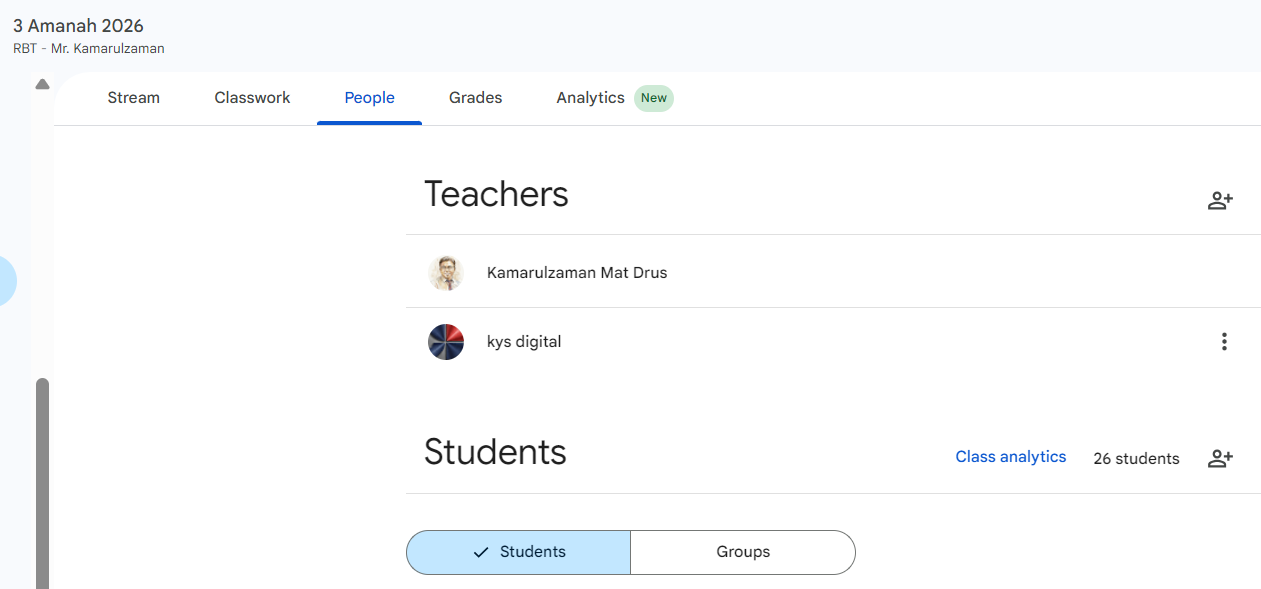
To make this pilot work effectively, we kindly request all teachers to complete these 2 steps in Google Classroom:
Go to the People tab and invite the following email as a Teacher:
Go to Class Settings (Gear Icon) and update the Class Name and Section exactly like this format:
- Class name: e.g., 3 Amanah 2026
- Class description: Please leave blank
- Section: [Subject] - [Teacher's Name]
Example: RBT - Mr. Kamarulzaman
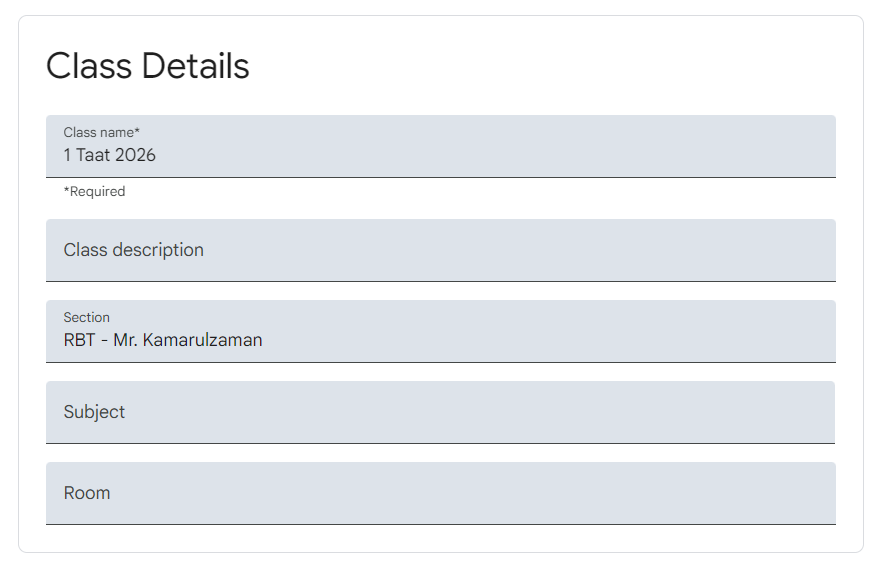
* This step is crucial so the Smart Dashboard can correctly extract and display your subject's data.